What Is Low-Latency Streaming?
Low-latency streaming is an approach to live video delivery that minimizes the delay between an event happening and viewers seeing it on their screens. According to IETF RFC 9317, low-latency live streaming targets delays under 10 seconds, while ultra-low-latency streaming targets delays under one second.
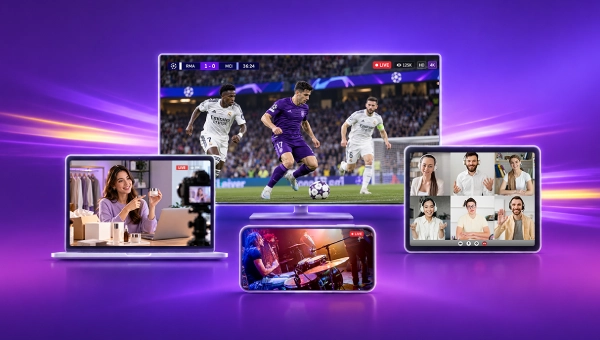
For example, imagine watching a live football match. A goal is scored at 8:00 PM, but you don’t see it on your screen until 8:00:08 PM. The eight-second gap between your screen and the actual match is known as live streaming latency.
Reducing this delay helps keep live video closer to real-time events. It is especially important for live sports, interactive broadcasts, video conferencing, online auctions, and other applications where timely audience interaction matters.
Achieving low latency requires optimizing the entire streaming pipeline, including video encoding, media processing, streaming protocols, network delivery, and player buffering.
What Is Considered Low Latency in Live Streaming?
There is no single latency threshold that applies to every live streaming application. The acceptable delay depends on how closely playback needs to follow the actual event and whether viewers need to interact with the stream in real time.
RFC 9317, published by the Internet Engineering Task Force (IETF), provides useful reference categories based on glass-to-glass Latency:
| Category | Approximate Glass-to-Glass Latency |
|---|---|
| Ultra-low-latency streaming | Under 1 second |
| Low-latency live streaming | Under 10 seconds |
| Non-low-latency live streaming | 10 seconds to a few minutes |
Under the RFC 9317 definition, any live stream with less than 10 seconds of total delay generally refers to low-latency (with ultra-low latency being a sub-1-second subset).
These are reference categories rather than universal performance guarantees. Streaming providers may use different thresholds depending on their technologies, applications, and service requirements.
Why Does Low-Latency Streaming Matter?
Live video increasingly exists alongside real-time interactions and external updates, including live chat, social feeds, push notifications, and interactive controls. When video falls behind live information and audience actions, the viewing experience can suffer in several ways:
-
Information Mismatch: Social updates, notifications, and live commentary can reach viewers before the relevant event appears in the video. Viewers may learn about an event or its outcome before seeing the event on screen.
-
Delayed Interaction: In interactive broadcasts, video delay can widen the gap between a viewer’s action and the corresponding on-screen response. A large delay can disrupt live conversations, audience participation, and other real-time interactions.
-
Differences in Viewer Playback: Network conditions and player buffering can place viewers at different points in the same broadcast. Lower playback latency can keep viewers closer to the live event, although lower latency alone cannot synchronize every viewer’s playback position.
By reducing the gap between the live event and playback, low-latency streaming creates a more responsive experience and helps audiences interact with live content at the right moment.
Where Does Latency Occur in the Live Streaming Pipeline?
Live streaming latency does not come from a single source. It accumulates across the delivery pipeline as video is captured, encoded, transmitted, processed, and played back on viewers’ screens. Each stage is essential to delivering live video, but it can also introduce delay.
To understand where latency occurs, it helps to examine the five main stages of a typical live streaming workflow:
-
Video Capture: Cameras and microphones capture the live event and convert light and sound into digital audio and video signals. This is the starting point of the streaming pipeline. Frame capture, hardware processing, and synchronization can all introduce a small amount of initial delay before the captured media becomes available for the next stage: encoding.
-
Encoding and Compression: Once captured, the raw video must be compressed before it can be efficiently transmitted over the internet. An encoder performs this process using a codec such as H.264 or HEVC. Encoding takes time and can introduce latency. Settings such as frame reordering and GOP structure can further affect processing time and the availability of encoded frames for delivery.
-
Ingest and First-Mile Transmission: After encoding, the encoded stream is transmitted from the broadcaster’s encoder to a media server or streaming platform for further processing and distribution. The delivery process can be delayed by physical distance, network congestion, and packet loss. When packet loss occurs, retransmissions or other recovery mechanisms may add further delay.
-
Transcoding, Packaging, and CDN Distribution: Once the encoded stream reaches the streaming platform, it may be transcoded into multiple resolutions and bitrates to support adaptive bitrate (ABR) playback. After transcoding, the platform packages the video into a delivery format, such as HTTP Live Streaming (HLS) or Dynamic Adaptive Streaming over HTTP (DASH), before distributing it through a Content Delivery Network (CDN). During packaging and distribution, conventional segment-based streaming, the server typically needs to generate and make an entire media segment available before the player can retrieve it, which adds to live streaming latency.
-
Player Buffering and Decoding: After CDN distribution, the stream reaches the viewer’s media player, which buffers a portion of the video before and during playback. The player then decodes the compressed media into playable audio and video, and this processing can introduce additional delay, particularly on devices with limited processing capabilities. Buffering helps maintain smooth playback during network fluctuations, but a larger buffer also increases live latency by widening the gap between the playback position and the live event.
Overall, latency accumulates as video moves through these five stages, with the amount of delay at each stage depending on the streaming architecture, delivery protocol, and system configuration. In conventional segment-based streaming, packaging and player buffering can be particularly significant contributors to end-to-end live latency.
How Is Streaming Latency Measured?
Glass-to-glass Latency is the primary metric for measuring live streaming latency. It measures the time between an event occurring in the real world and the corresponding video appearing on a viewer’s screen.
The measurement covers the entire streaming process, including media processing, network delivery, buffering, decoding, and display.
To evaluate live streaming performance accurately, it is important to distinguish glass-to-glass Latency from other commonly confused metrics:
-
Network Latency refers to the time it takes for data to travel from one point to another over a network. It reflects network transmission delays only and does not include delays caused by video encoding, packaging, or playback buffering.
-
Round-Trip Time (RTT) measures how long it takes for a data packet to reach its destination and for a response to return. Although it is useful for assessing network responsiveness, RTT does not capture the full end-to-end latency of a live stream.
-
Startup Latency, or Time to First Frame, measures the time between clicking “Play” and seeing the first video frame. A stream may start playing almost immediately but still be 30 seconds behind the actual live event.
These metrics help diagnose individual parts of the streaming process, but glass-to-glass latency shows how far playback lags behind the actual event.
When to Use Low-Latency Streaming
Different live applications have different latency requirements. The target depends on how closely playback needs to follow an event and how quickly users need to interact with the content.
-
Sports and Live Events: Sports competitions, concerts, and breaking news often benefit from low-latency delivery, with a target of under 10 seconds. Shorter delays may be needed when viewers follow live commentary, score updates, or other synchronized content.
-
Live Commerce and Auctions: Interactive shopping streams and live auctions need timely video delivery so viewers can respond to changing offers, product demonstrations, and bidding activity. Auctions and time-sensitive transactions may require much lower latency than conventional shopping broadcasts.
-
Interactive Creator Streams and Cloud Gaming: Creator broadcasts on platforms such as Twitch and YouTube Live generally benefit from low-latency delivery to support audience participation. Cloud gaming has much stricter requirements, often aiming for sub-second responsiveness because player inputs must be processed and reflected in updated video frames.
-
Video Conferencing and Live Video Sessions: Virtual meetings, remote collaboration, and multi-guest discussions require ultra-low latency, ideally below one second, to support natural two-way communication.
By contrast, one-way live channels with little need for real-time interaction may tolerate delays of 10 seconds or more. In these cases, larger playback buffers can improve stability without significantly affecting the intended experience.
Which Protocols Support Low-Latency Streaming?
Several streaming technologies support low-latency live delivery, but they achieve this goal through different approaches.
WebRTC uses a real-time communication model, whereas Low-Latency HLS (LL-HLS) and Low-Latency DASH (LL-DASH) reduce the delay of conventional HTTP-based delivery by making media available progressively before a complete segment is finished.
WebRTC: Real-time Media Delivery
Web Real-Time Communication (WebRTC) enables real-time audio and video communication between browsers and other supported devices.
Unlike conventional HTTP segment-based streaming, WebRTC uses RTP-based media transport to send audio and video continuously without waiting for complete media segments. This architecture can support sub-second glass-to-glass latency in suitably configured deployments.
LL-HLS: Low-latency Streaming at Scale
Low-Latency HLS is an extension of Apple’s HTTP Live Streaming protocol.
Traditional HLS generally makes video segments available after they have been generated. LL-HLS reduces this waiting time by dividing segments into smaller units called Partial Segments, or Parts, which can become available progressively.
According to Apple’s Low-Latency HLS documentation, LL-HLS introduces several mechanisms to improve delivery efficiency:
- Partial Segments: Allow players to access smaller portions of video before the complete parent segment is available.
- Preload Hints: Allow players to request upcoming media resources in advance.
- Blocking Playlist Reloads: Let clients wait for relevant playlist updates instead of repeatedly polling for changes.
- Playlist Delta Updates: Reduce the amount of playlist information transferred during updates.
Because LL-HLS builds on HTTP-based distribution, it can leverage existing CDN infrastructure for large-scale live delivery.
LL-DASH: Low-latency Adaptive Streaming
Low-Latency DASH extends DASH by allowing media delivery before a complete segment becomes available. LL-DASH commonly uses the Common Media Application Format (CMAF) to organize media segments into smaller chunks for progressive delivery. With HTTP chunked transfer, a player can receive multiple CMAF chunks progressively through a single request instead of requesting each chunk separately. Progressive chunk delivery reduces startup and transmission delays while preserving scalable, adaptive streaming over HTTP-based delivery infrastructure.
WebRTC vs. LL-HLS vs. LL-DASH: Latency and Use Cases
| Protocol | Typical Latency Profile | Best Suited For |
|---|---|---|
| WebRTC | Sub-second | Real-time interactive communication |
| LL-HLS | A few seconds | Large-scale HTTP/CDN delivery |
| LL-DASH | A few seconds | Standards-based adaptive delivery |
Actual latency varies with encoding settings, network conditions, server and player configuration, and deployment architecture. The latency descriptions in the table indicate common target profiles rather than guaranteed performance.
How to Reduce Latency in Live Streaming
Reducing live streaming latency requires optimizing the entire delivery pipeline, from video encoding to playback.
Improving network speed alone is not enough. Delays can accumulate during encoding, media packaging, network delivery, and playback buffering. Each stage needs to be optimized to keep video closer to the live event without sacrificing playback stability.
1. Set a Latency Target and Identify Bottlenecks
Start by defining a glass-to-glass latency target based on your application’s requirements.
A live sports broadcast may tolerate several seconds of delay, while video conferencing and interactive streaming require much faster delivery. Define a glass-to-glass latency target to establish a clear performance goal.
Next, measure the streaming pipeline to determine where delays accumulate.
Examine encoding, ingest, transcoding, packaging, network distribution, and player buffering. Compare the observed delay at each stage against the target to prioritize optimization efforts.
Track performance over time instead of relying on a single measurement.
2. Optimize Video Encoding and Processing
Use an encoder’s low-latency mode where available. Minimize encoding features that require frames to be held before output, such as excessive lookahead and B-frame reordering.
GOP (Group of Pictures) structure also affects latency. Shorter GOP intervals place keyframes closer together, giving the packager more frequent opportunities to create segment boundaries. They also reduce the time a player may need to wait for a keyframe when joining a live stream or switching bitrates. However, shorter GOPs can increase bitrate and delivery costs, so settings should balance latency and compression efficiency.
For workflows that use transcoding, avoid unnecessary processing steps and optimize transcoding profiles for the required latency and playback quality.
The objective is to minimize processing delay without introducing unacceptable quality loss or bandwidth costs.
3. Choose the Right Streaming Protocols and Reduce Packaging Delays
Choose ingest and delivery technologies according to the required latency.
For first-mile ingest, SRT and WebRTC-based ingest using WHIP can help deliver live feeds with low latency over unpredictable networks.
For last-mile delivery, WebRTC suits interactive applications requiring sub-second communication, while LL-HLS and LL-DASH support scalable delivery through HTTP-based infrastructure and CDNs.
Packaging configuration also affects how quickly media becomes available to players. Select the protocol based on the required latency and audience scale to avoid introducing unnecessary transport or delivery overhead.
LL-HLS uses Partial Segments, while LL-DASH uses CMAF chunks to deliver media before a complete segment is ready.
Appropriate segment and chunk durations can further reduce waiting time.
4. Optimize CDN Delivery and Network Routing
Network congestion, inefficient routing, and overloaded delivery PoPs can add delay, particularly during large-scale broadcasts.
A live streaming CDN helps distribute video through edge infrastructure closer to viewers, reducing reliance on a single centralized origin.
Optimized routing, suitable ISP connectivity, and traffic distribution can also help improve delivery performance.
However, CDN proximity alone does not guarantee low glass-to-glass latency.
For LL-HLS and LL-DASH, the CDN must support timely delivery of partial media and CMAF chunks without unnecessarily buffering them until complete segments become available.
For WebRTC, the distribution architecture must support efficient real-time media transport and sufficient capacity for the expected audience.
5. Optimize Player Buffering and Playback
Playback buffering is a critical factor in live streaming latency.
A larger player buffer helps maintain smooth playback during network fluctuations, but it also increases the delay between the live event and what viewers see.
Configure an appropriate live-edge target and reduce unnecessary buffering where possible.
Some media players also support playback-rate adjustment, which can help them catch up when they fall behind.
Avoid reducing the buffer too aggressively, as this can cause frequent rebuffering. The goal is to balance low latency with playback stability.
The goal is to achieve the required latency while maintaining a stable viewing experience.
How CDNetworks Enables Low-Latency Streaming
CDNetworks provides a WebRTC-based Low Latency Streaming solution designed to support interactive live video delivery at scale.
By combining WebRTC delivery with its global edge network, the solution supports glass-to-glass latency below 500 milliseconds and is designed to scale to more than one million concurrent viewers.

CDNetworks supports two main ingest-to-playback workflows:
-
RTMP Ingest to WebRTC Playback: Broadcasters can continue using existing RTMP encoders, such as OBS or FFmpeg, without changing their current streaming workflow. Since RTMP streams commonly use AAC audio while WebRTC playback requires Opus, CDNetworks converts AAC audio to Opus in the cloud before delivering the stream over WebRTC.
-
End-to-End WebRTC (WHIP and WHEP): For a more direct WebRTC workflow, broadcasters can publish streams using WHIP (WebRTC-HTTP Ingestion Protocol), while viewers access them through WHEP-compatible players or CDNetworks’ lightweight HTML5 player.
CDNetworks also supports cloud-based real-time transcoding to generate multiple resolutions and bitrates for different devices and network conditions. AI-powered compression helps maintain video quality at lower bitrates, reducing bandwidth consumption. Protocol optimizations further reduce first-frame rendering time and improve playback stability under weak network conditions, helping deliver a smoother viewing experience.
Low-Latency Streaming FAQs
Is Lower Latency Always Better for Live Streaming?
Latency reduction is not always beneficial for live streaming. Smaller playback buffers provide less time to absorb network fluctuations and can increase rebuffering or playback interruptions. The right latency target depends on the level of interaction the application requires.
Can a CDN Help Reduce Live Streaming Latency?
CDNs can lower live-streaming latency by serving media from edge locations near viewers and routing media over optimized network paths. Capture, encoding, transcoding, and player buffering also add time before video reaches the screen.
What Is Glass-to-Glass Latency?
Glass-to-glass latency measures the time between a real-world event and the moment the corresponding video appears on a viewer’s screen. Glass-to-glass latency includes capture, encoding, delivery, buffering, and decoding.
How to Stream with Low Latency?
Low-latency live streaming requires a delivery protocol suited to an application’s latency requirements. WebRTC supports sub-second interaction, while LL-HLS and LL-DASH reduce delay in HTTP-based delivery. Encoding, packaging, playback buffering, and CDN delivery also affect end-to-end latency.