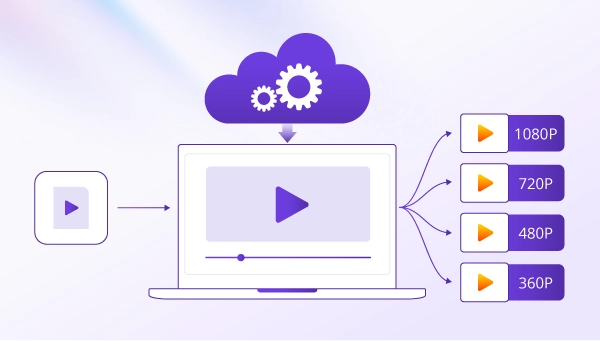
Transcoding is the process of converting an already encoded video or audio file into a different codec or changing its encoding settings, such as bitrate or resolution. In video streaming, transcoding helps make videos compatible with different devices and deliver smoother playback across varying internet speeds.
For example, a streaming platform may transcode a 1080p video into 720p and 480p versions at lower bitrates. Viewers with faster connections can watch the higher-quality version, while those with limited bandwidth can play a lower-bitrate version with less buffering.
This guide explains what transcoding is, how it works, how it differs from encoding and transmuxing, its main types and benefits, and when it is needed in media delivery workflows.
What Is Transcoding?
Videos do not always work equally well across devices, platforms, and internet connections. Different devices and platforms may support different codecs, while network conditions can affect the bitrate and resolution needed for smooth playback.
Transcoding addresses these differences by converting an already encoded video into a different codec or adjusting settings such as its bitrate and resolution.
For example, a video encoded with H.264 can be converted to H.265, which may achieve a smaller file size at comparable visual quality, depending on the encoding settings. A high-resolution video can also be converted into lower-resolution versions for playback on devices with different screen sizes or slower internet connections.
By creating versions suited to different playback requirements, transcoding helps media platforms prepare content for a wider range of devices and network conditions.
How Does Transcoding Work?
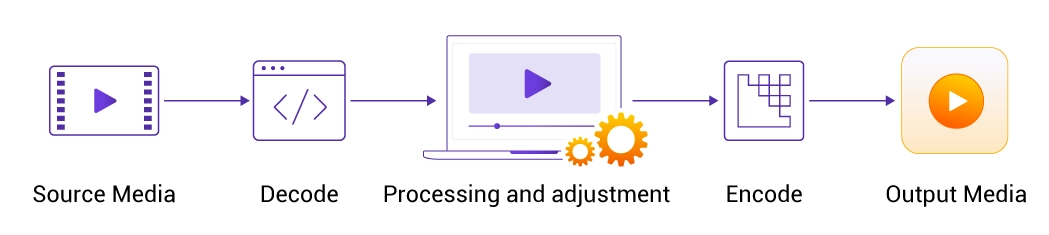
Transcoding typically involves three main stages: decoding the source media, making the necessary adjustments, and encoding it using the target settings.
-
Decoding: The transcoding system decodes the source media into a form that can be processed. Depending on the workflow, audio and video may be handled separately.
-
Processing and Adjustment: The system applies the required changes, such as switching codecs, reducing the bitrate, or resizing the video. The selected settings are based on the target devices, playback requirements, and available bandwidth.
-
Encoding: The processed media is encoded using the target settings to produce a new encoded output. Additional steps, such as packaging into HLS or DASH, may follow when the content is prepared for streaming delivery.
The output can be a single converted file or multiple versions of the same source. For example, a streaming platform may generate several resolutions and bitrates to support adaptive bitrate streaming. The player can then select a suitable version as network conditions change.
Encoding vs. Transcoding vs. Transmuxing
Encoding, transcoding, and transmuxing are related to media processing operations, but they serve different purposes. The main differences lie in the input media, the changes made, and whether the audio or video needs to be re-encoded.
| Process | What It Does | Example |
|---|---|---|
| Encoding | Converts raw media into an encoded format, typically using compression. | Encoding raw video into H.264. |
| Transcoding | Converts already encoded media into a different codec or set of encoding parameters, typically through decoding and re-encoding. | Converting H.264 video to H.265 or reducing its bitrate. |
| Transmuxing | Changes the media container or packaging without re-encoding the audio or video. | Moving compatible H.264 video from an MP4 container into an MPEG-TS container without changing the encoded video. |
The key distinction is that transcoding changes how the media is encoded, while transmuxing changes its container or packaging without re-encoding the media streams. Encoding, by contrast, creates an encoded representation from raw media.
Types of Transcoding
Transcoding can be classified by when the process takes place and what changes are made to the media.
Real-Time vs. Batch Transcoding
Real-time transcoding processes incoming media with minimal delay, making it suitable for live streaming. Batch transcoding processes media offline before delivery, allowing VOD platforms to prepare different versions in advance.
Common Transcoding Operations
Transcoding can also involve different changes to the encoded media:
- Codec conversion: Changes the codec used to encode audio or video, such as converting H.264 video to H.265.
- Transrating: Adjusts the bitrate to balance video quality and bandwidth requirements.
- Transsizing: Changes the video resolution to suit different screens and playback conditions.
How Does Transcoding Support Adaptive Bitrate Streaming?
Adaptive bitrate (ABR) streaming allows video players to adjust playback quality based on changing network conditions.
Transcoding supports this process by generating multiple versions of the same video at different resolutions and bitrates, giving ABR players a range of quality options to choose from.
Creating Multiple Video Renditions
For ABR streaming, a transcoding system converts a source video into multiple renditions with different resolutions and bitrates. Together, these renditions form a bitrate ladder, which defines the available quality levels for playback.
For example, a video might be encoded in 1080p, 720p, and 480p, with each version encoded at an appropriate bitrate.
Enabling Adaptive Quality Switching
Once the renditions are generated, they are packaged into streaming segments, along with playlists or manifests that tell the ABR player which versions are available and how to access them.
During playback, the ABR player uses this information to select a suitable rendition based on available bandwidth and buffer conditions. If network conditions deteriorate, it can switch to a lower-bitrate version to reduce buffering and maintain smooth playback. When conditions improve, it can switch to a higher-quality rendition.
To sum up, transcoding creates different quality versions, while the ABR player selects between them during playback. The streaming packaging and delivery systems make those versions available to the player.
Together, these components help maintain more consistent playback quality across changing network conditions.
Benefits of Transcoding
Transcoding offers several advantages for video delivery and media management:
-
Improved Device and Browser Compatibility: Transcoding converts videos into compatible formats, allowing viewers to access the same content across different devices and platforms.
-
Smoother Playback and Reduced Buffering: By creating multiple bitrate versions, transcoding allows ABR players to adjust video quality as network conditions change, helping reduce buffering and playback interruptions.
-
Optimized Video Quality and Bandwidth Efficiency: Transcoding adjusts codecs, resolutions, and bitrates to match different playback environments, helping maintain visual quality while reducing unnecessary bandwidth consumption.
-
More Efficient Media Workflows: Transcoding generates multiple versions from a single source file, simplifying content preparation for different platforms and distribution channels.
Common Transcoding Use Cases and Examples
Transcoding supports different media workflows, from preparing on-demand content to processing live streams and adapting videos for multiple distribution platforms.
Video on Demand (VOD) Platforms
VOD platforms typically transcode uploaded videos into multiple renditions with different resolutions, bitrates, or codecs to support various playback environments. The renditions are stored in advance, allowing players to select a suitable version during playback without requiring real-time transcoding.
Live Streaming and Real-Time Broadcasting
Unlike VOD, live streaming requires transcoding to process incoming video as the broadcast happens. Real-time transcoding generates multiple output streams with different resolutions and bitrates for viewers with varying playback requirements. Processing speed is critical, as delays during transcoding can increase overall streaming latency.
Online Video Platforms and Multi-Platform Distribution
Media companies and content creators often distribute videos across websites, apps, and social media platforms, each with its own encoding requirements. Transcoding generates platform-specific versions from a single source file, reducing manual preparation and simplifying multi-channel distribution.
When Is Transcoding Needed?
Transcoding is needed when an existing video’s encoding does not meet the technical requirements of its intended playback environment or delivery workflow.
However, not every video needs to be transcoded. The correct processing method depends on which characteristics of the source media need to change.
When Transcoding Is Necessary
Transcoding is necessary when the encoded media must be changed for delivery, such as when:
-
Codec incompatibility: The target player does not support the source codec or profile, so the media must be re-encoded using a compatible option.
-
Resolution or bitrate requirements: The source video needs a different resolution or bitrate to meet playback or bandwidth requirements.
-
Adaptive bitrate streaming: A single-quality source needs to be converted into multiple renditions so the player can adapt video quality during playback.
-
Platform-specific requirements: The destination platform specifies encoding settings, such as codec, resolution, or bitrate limits, that the source does not meet.
Since re-encoding consumes computing resources and can degrade visual quality, a practical workflow must balance compatibility, playback quality, and processing costs.
When Transcoding Is Not Necessary
If the source media already meets the destination requirements, transcoding may not be necessary. The workflow can instead use:
-
Transmuxing (Repackaging): Changes the container or packaging of encoded media without decoding or re-encoding the audio or video.
-
Passthrough: Delivers the original file as-is, without altering its streams or container.
How CDNetworks Supports Transcoding
CDNetworks helps businesses prepare, optimize, and deliver video content through its media processing capabilities and global content delivery network (CDN).
Its video solutions support media processing operations such as AI-powered transcoding and packaging, helping businesses prepare video content for different playback requirements.
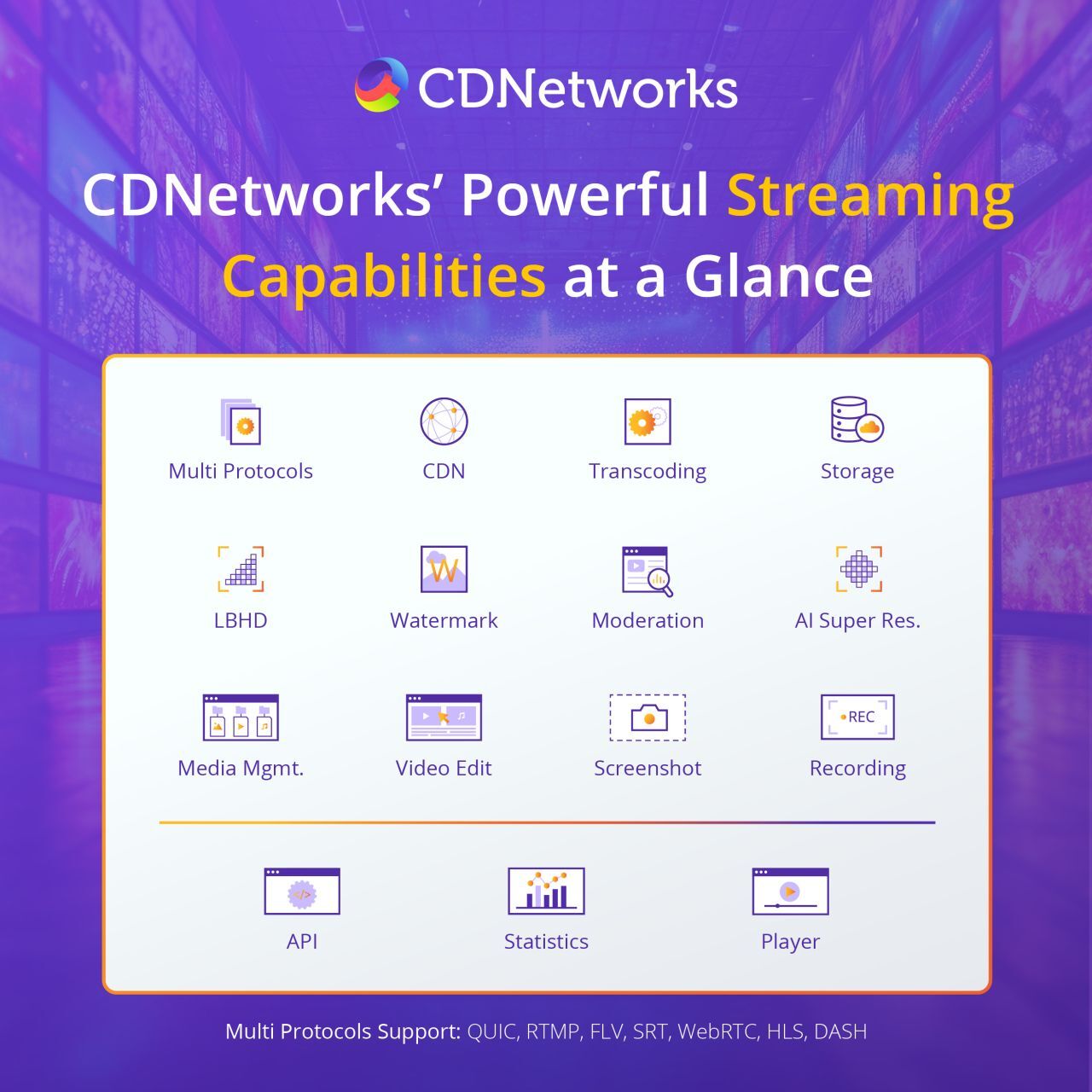
To support different streaming scenarios, CDNetworks offers workflows for both on-demand and live video:
-
 Media Acceleration VoD uses batch processing to create multiple renditions before playback starts. Prepackaged files help deliver smoother playback across devices and network conditions, and CDNetworks' global CDN supports reliable distribution at scale.
-
 Media Acceleration Live Broadcast supports real-time transcoding, converting incoming streams into multiple output versions during a broadcast. Viewers can then access a suitable stream based on their devices and available bandwidth, while broadcasters can deliver live content to audiences with different playback requirements.
By combining batch and real-time transcoding with global CDN delivery, CDNetworks helps media platforms prepare and deliver video content for both on-demand and live streaming.
Transcoding FAQs
Do All Live Streams Need Transcoding?
A live stream does not always need transcoding. If the source stream already meets the target platform’s requirements for codec, resolution, and bitrate, it can be delivered without re-encoding. Transcoding is necessary when the stream needs to be converted into a compatible format or multiple renditions for viewers with different devices and network conditions.
Is Transcoding the Same as Compression?
Transcoding and compression are related but serve different purposes. Compression reduces the amount of data needed to store or transmit media, while transcoding converts media from one encoding format or set of parameters to another. Transcoding often involves compression when the output uses a lower bitrate or a more efficient codec, but it can also change the encoding format without necessarily reducing the file size.
What Is the Difference Between Transcoding and Encoding?
Encoding converts raw audio or video into an encoded format, such as H.264 or AAC. Transcoding starts with an already encoded file or stream and converts it into another codec or set of encoding parameters, typically through decoding and re-encoding.
Does Transcoding Reduce Video Quality?
Transcoding does not necessarily reduce video quality. The result depends on the source, codec, and encoding settings. Lossy re-encoding may discard visual information, particularly at lower bitrates, while suitable settings and more efficient codecs can help maintain acceptable quality. Repeated lossy transcoding can cause further degradation.