Caching is the process of temporarily storing copies of data so they can be accessed more quickly when needed again. Instead of repeatedly retrieving the same information from its original source, a system can reuse a stored copy, known as cached data, to reduce response times, server requests, and resource usage.
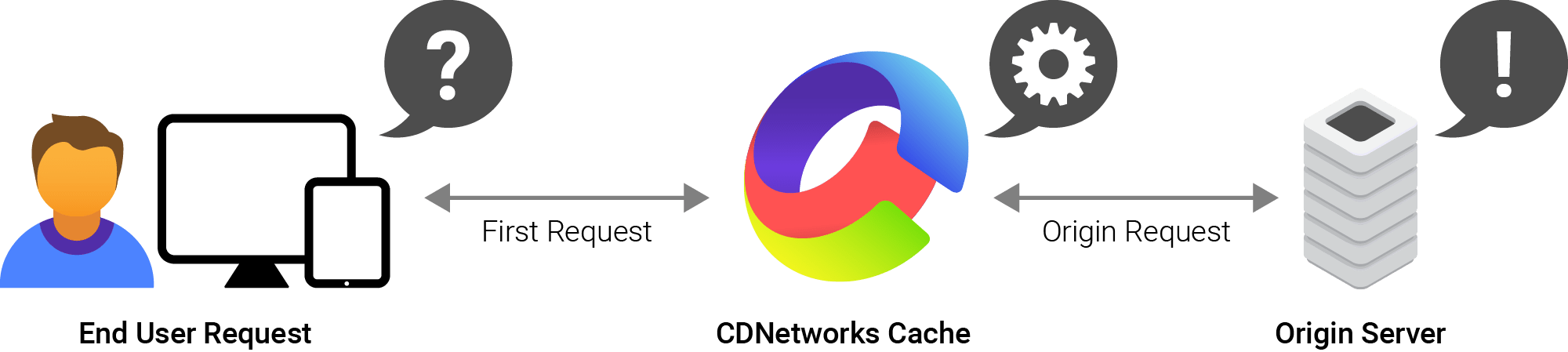
Caching is widely used in web browsers, applications, databases, and Content Delivery Networks (CDNs) to accelerate data delivery and optimize resource usage. Many systems also use built-in caching to improve performance without requiring additional storage configurations.
How Does Caching Work?
Caching works by storing copies of frequently accessed data in a location where they can be retrieved more quickly than from the original source. When the same data is requested again, the system checks whether a reusable copy is available in the cache.
The caching process typically involves the following steps:
- First request: A user or application requests data from a server or another data source.
- Cache check: The system checks whether the requested data is already stored in the cache.
- Cache miss: If the data is unavailable or expired, the system retrieves it from the original source and stores a copy in the cache.
- Cache hit: When the same data is requested again, the system retrieves it directly from the cache instead of accessing the original source.
- Cache expiration: Cached data is stored for a defined period, often controlled by a Time to Live (TTL) value. Once the TTL expires, the cache may be refreshed with updated data.
What Are the Types of Caching?
Caching can be implemented at different levels of a computing system, using various forms of cache storage depending on where data is stored and accessed.
Browser and CDN Caching
Browser caching: Keeps website resources on a user’s device for faster retrieval during subsequent visits. Common resources include HTML pages, images, CSS files, and JavaScript files.
CDN caching: Stores copies of website content on edge serves closer to users, allowing subsequent requests to be served without repeatedly accessing the origin server.
Application, Memory, and Distributed Caching
Application caching: Stores frequently requested application data, such as API responses and database query results, to avoid repeated processing and database queries.
Memory caching: Uses RAM to store frequently accessed data, enabling faster retrieval.
Distributed caching: Stores cached data across multiple servers or nodes within a network, allowing applications to access shared data efficiently and handle larger workloads.
CPU, Disk, and DNS Caching
CPU caching: Stores frequently used instructions and data in high-speed memory near the processor for faster access.
Disk caching: Uses faster memory to temporarily hold frequently accessed disk data, improving read and write performance.
DNS caching: Retains previously resolved domain names and their corresponding IP addresses, reducing repeated DNS lookups and speeding up domain name resolution.
What Are the Benefits of Caching?
Faster Data Access and Lower Latency
Caching stores frequently requested data closer to users or applications, reducing the time needed to retrieve information from remote servers or databases. Shorter retrieval paths result in faster response times and a smoother user experience.
Reduced Server Load and Bandwidth Usage
Cached responses eliminate the need for origin servers to process repeated requests or transmit the same data multiple times. Fewer origin requests and data transfers reduce server workload, network traffic, and bandwidth consumption.
Improved Scalability and Lower Costs
By serving repeated requests from cached data, systems can accommodate more users without requiring a proportional increase in server capacity. Organizations can therefore handle traffic spikes more efficiently, optimize infrastructure usage, and lower operating costs.
Examples of Caching
Caching is used in everyday digital activities and across different computing environments. Common examples include:
Revisiting a website: A browser loads previously downloaded images and CSS files from its local cache instead of requesting every resource again.
- Streaming videos: Video streaming platforms cache video segments to enable faster retrieval during playback and reduce repeated requests to the content server.
- Database queries: An application retrieves frequently requested query results from a cache rather than executing the same database query repeatedly.
- Domain name resolution: A DNS resolver uses cached IP address records to avoid performing a new lookup for every request.
- Website content delivery: A CDN serves cached images, scripts, and other website resources from nearby edge servers instead of retrieving them from the origin server each time.
What Is a CDN Cache?
A CDN cache is a temporary storage location on a Content Delivery Network’s edge server that holds copies of website content, including images, videos, JavaScript files, CSS files, and other cacheable resources.
CDN caching works by storing and distributing cached content across multiple edge servers located in different geographical regions. When a user requests content, the CDN routes the request to an appropriate edge server based on its routing configuration and network conditions.
If a fresh, reusable copy of the requested content is available, a cache hit occurs, and the CDN delivers the cached content directly to the user.
If the content is unavailable or has expired, a cache miss occurs, prompting the CDN to retrieve it from the origin server before storing a copy for subsequent requests.
How Does CDNetworks Support CDN Caching?
CDNetworks provides CDN services through a globally distributed network of more than 3,000 Points of Presence (PoPs). These PoPs host edge servers that cache and deliver website content closer to end users, helping businesses reduce latency and improve content delivery performance across different regions.
Learn more about CDNetworks’ CDN services.
FAQ
Can dynamic content be cached?
Dynamic content can be cached when appropriate caching rules are configured. Common approaches include API response caching, personalized cache keys, and short TTL values, which help manage frequently changing or user-specific data.
What happens when cached data expires?
Expired cached data is no longer served as a valid cache entry. When a new request arrives, the system retrieves the latest data from the origin server and stores it in the cache for subsequent requests.
What is the difference between cache and cookies?
Caches store copies of website resources to improve loading speed, while cookies store small pieces of information about users, such as session identifiers and preferences. Caches optimize data retrieval; cookies support user identification and session management.